
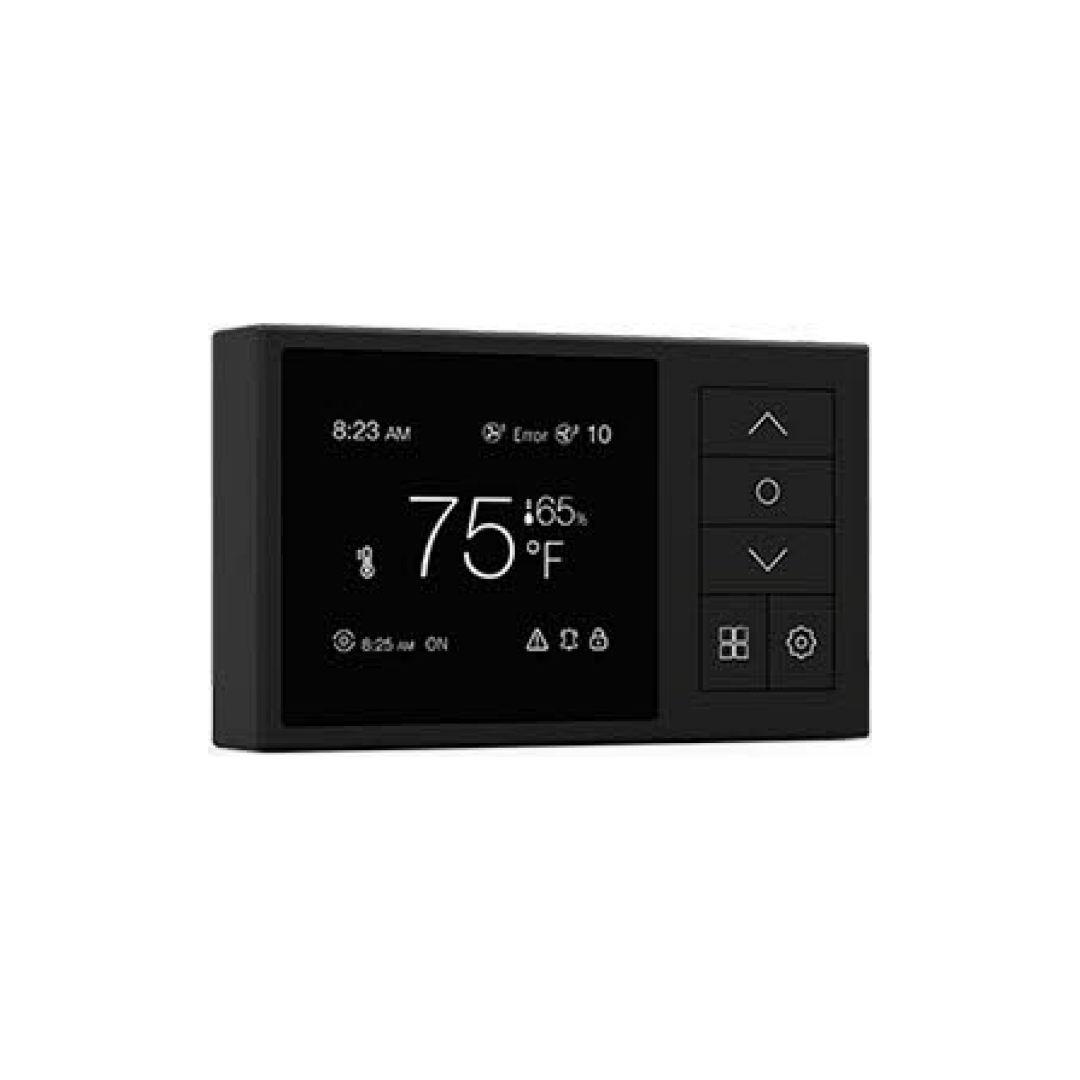

Headwind HVC - PRO EC Controller

Save 50%

Price:
Sale price$120.00 Regular price$240.00

Pickup currently unavailable at Bellambi

Description

  • Powered by Headwind HVC EC fans and does not require any additional power cord or power adapter to operate.
  • Capable of connecting and controlling 4 EC fans at the same time.
  • Auto Mode, Manual Mode, Alarm Mode, Day/Night Mode
  • Programmable Auto Mode to set the desired fan speed and temperature.
  • Alarm Mode allows user to get alert when the temperature exceeds the previous settings.
  • Smart detection of which fan goes wrong or does work and send alarm.

Secure & Encrypted Payments

Logos for Google Pay, Airwallex, and PayPal.

Frequently Asked Questions (FAQ)

What does the Headwind HVC – PRO EC Controller do?

It automatically adjusts your EC fan speeds based on temperature and humidity targets, helping maintain stable grow room conditions. It supports up to 4 Headwind HVC EC fans and doesn’t need a separate power pack—power is drawn directly from the fans.

What control modes are available?

The controller includes Auto Mode, Manual Mode, Alarm Mode, and Day/Night Mode. Auto adjusts fan speed based on set targets, Manual holds a fixed speed, Alarm warns of extreme temps, and Day/Night Mode lets you run different settings on a schedule.

Can it control both temperature and humidity?

Yes—Auto Trigger allows you to respond to high or low temperature and humidity. You can choose which conditions trigger fan speed changes, and the fan ramps up when any selected threshold is hit.

Can I set minimum and maximum fan speeds?

Yes—Min/Max settings ensure your fans never drop too low (causing stale air) or ramp too high (creating noise). Start with a gentle minimum that keeps air moving and a max that clears heat fast, then fine-tune based on your results.

Where should I place the sensor?

Place the sensor at canopy height, out of direct fan blast and not under hot lights. This gives a more accurate reading of room conditions. A light-blocking hood is included to reduce heat skew from grow lights.

Can I calibrate temperature and humidity readings?

Yes—you can offset both temperature and humidity readings to match your trusted devices. Calibration helps fine-tune the controller’s accuracy in real-world conditions.

Can it control intake and exhaust fans separately?

Yes—using separate output channels, you can control intake and exhaust fans independently. This helps maintain negative pressure in your tent or grow room for better smell control and airflow balance.

How do I install the controller?

It mounts to the wall with included screws and a plate. The sensor connects via a 3.5mm jack and USB-C adapter. A 5-meter sensor cable is included for flexible placement.

Does the controller help reduce power use?

Yes—by running EC fans at lower speeds most of the time, the controller helps save electricity and reduce noise, compared to fans running full blast constantly.

Does it have a screen and sound settings?

Yes—it features a 2.8-inch color display with adjustable brightness, auto-dimming, and a screen timeout option. You can also toggle button sounds and alarm alerts on or off.

Can I back up or reset my settings?

Yes—you can save up to three backup profiles and restore them anytime. If needed, there’s also a full factory reset option to start fresh.

Is it suitable for greenhouses or just tents?

It works great in tents, grow rooms, and greenhouses—any space using EC ventilation. Once set, the controller runs mostly hands-off but should be re-checked after major changes.

What should I check if the alarm goes off?

Make sure the sensor is connected, fans are spinning, ducts aren’t blocked, and temperature/humidity targets are realistic. Also check for equipment changes that could affect your environment.

What are the controller’s size and power specs?

It measures 115mm × 70mm × 23mm, weighs about 135g, and runs on 9–10V DC supplied by the fan. It’s compact and easy to mount in most grow setups.

Does it display real-time temperature and humidity?

Yes—the screen shows current temperature and humidity readings, as well as operating status, so you always know what your grow environment is doing.

You may also like

Recently viewed