
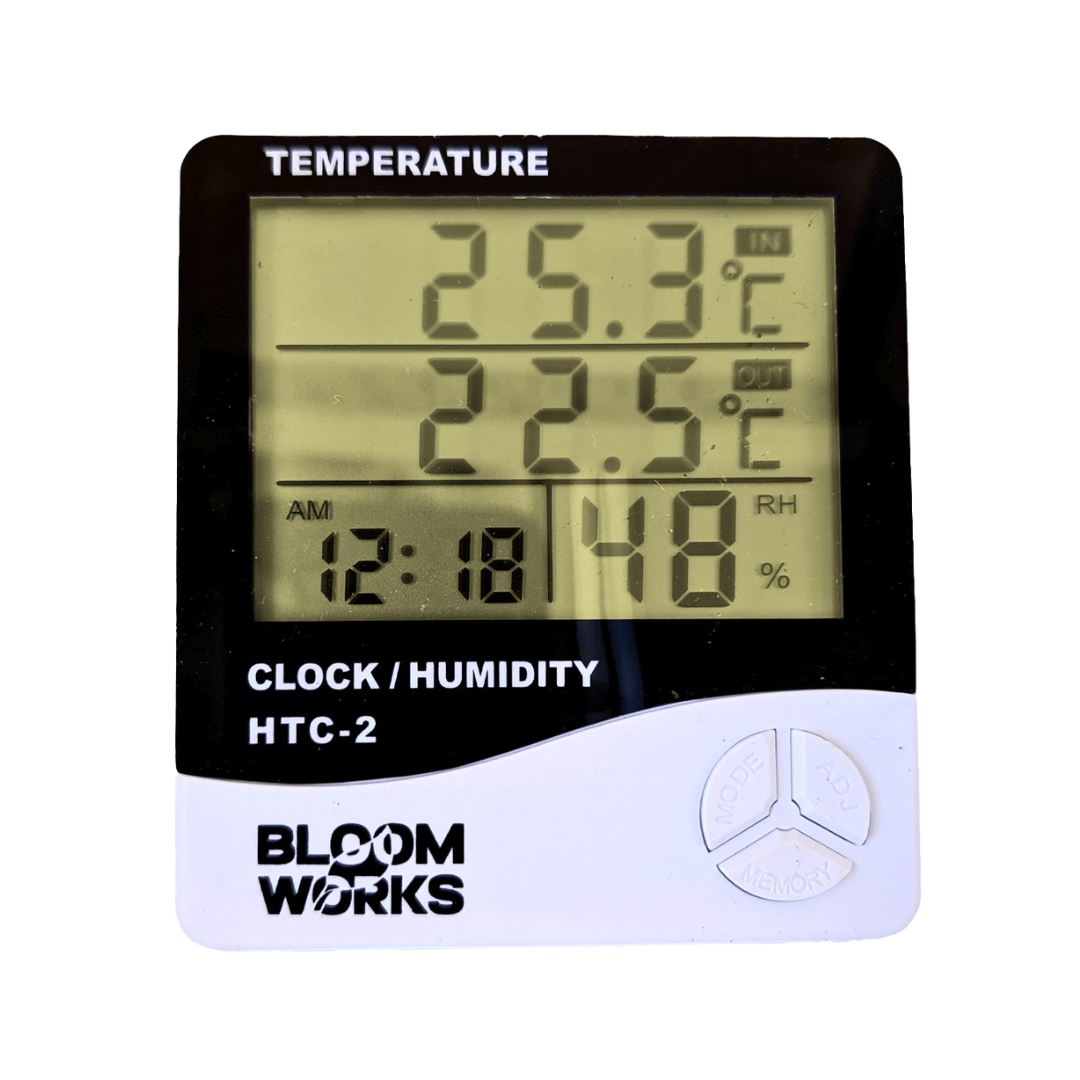

Bloom Works HTC-2 Digital Thermometer Hygrometer - Indoor Outdoor Temperature & Humidity Monitor with Clock Display

Save 17%

Price:
Sale price$20.00 Regular price$24.00

Pickup available at Bellambi

Usually ready in 24 hours

Description

Stay in control of your environment with the Bloom Works HTC‑2 Digital Thermometer Hygrometer. Designed for precision and convenience, this compact device provides real-time monitoring of temperature and humidity levels for both indoor and outdoor settings.

Whether you're managing a greenhouse, nursery, reptile enclosure, or your home or office, the HTC‑2 ensures optimal conditions with accurate data at a glance. Equipped with a clear LCD screen, integrated clock, and memory function, it’s the ideal tool for maintaining comfort and health in any space.

Features

• Dual temperature sensors for indoor and outdoor monitoring
• Humidity range display to assess air moisture in real time
• Built-in digital clock with 12/24-hour format options
• Memory function stores min/max temperature and humidity readings
• Easy-to-read LCD display with large digits
• Lightweight, compact design suitable for desks, walls, or mounting
• Ideal for homes, greenhouses, terrariums, baby rooms, and workspaces

Why You Should Buy

This all-in-one environmental monitoring tool offers precise, reliable data to help you regulate temperature and humidity wherever needed. With its user-friendly design and broad application range, the Bloom Works HTC‑2 is essential for anyone serious about comfort, plant care, pet wellness, or climate-sensitive spaces. The external probe provides added versatility for remote or outdoor readings, while the built-in clock and memory features make ongoing monitoring effortless. A practical, cost-effective solution for healthier, controlled environments.

FAQs

What is the temperature range of this device?
It typically measures from -50°C to +70°C for both indoor and outdoor temperatures.

Does this hygrometer require batteries?
Yes, it operates on 1 AAA battery (not always included—check product packaging or listing details).

Can the device be mounted on a wall?
Yes, it has a foldable stand and a hanging slot for wall mounting.

Is the outdoor probe waterproof?
The sensor probe is suitable for protected outdoor use, but it should not be submerged in water.

How often does it update the temperature and humidity readings?
The display updates in real-time, providing constant live data for accurate environmental tracking.

Secure & Encrypted Payments

Logos for Google Pay, Airwallex, and PayPal.

Estimate shipping

Frequently Asked Questions (FAQ)

What does the Bloom Works HTC-2 Thermometer Hygrometer measure?

It monitors indoor temperature, indoor humidity (RH), and a second temperature via the wired external probe—great for checking conditions in two zones like inside and outside a tent or enclosure.

What are the temperature and humidity ranges?

The HTC-2 typically measures temperatures from -50°C to +70°C and humidity from 10% to 99% RH. Temperature accuracy is usually within ±1°C, and RH accuracy is around ±5%, which is suitable for grow rooms, enclosures, and household use.

Does the HTC-2 show min/max readings?

Yes—it tracks high and low readings for both temperature and humidity. Use the MIN/MAX button to cycle through values. Hold the same button to clear stored records and reset tracking.

Does the HTC-2 display time and other info?

Yes—it includes a digital clock with 12/24-hour formats, a simple calendar, °C/°F switching, and humidity comfort labels like DRY or WET. Many units also include a daily alarm and hourly chime.

What kind of battery does the HTC-2 use?

It runs on a single AAA battery. Some units include one in the box, but not always. Battery life is long due to low power draw. If the screen dims or readings look off, replace the battery first.

Does the HTC-2 need to be plugged in?

No—it’s completely battery-powered. No cords, outlets, or USB charging required. Just insert a battery and it’s ready to go.

Can the HTC-2 be mounted or freestanding?

Yes—you can mount it on a wall or use the fold-out stand to place it on a shelf or table. It’s ideal for rooms, greenhouses, grow tents, or enclosures.

Where should I place it for the best readings?

Place the probe at canopy height or near the target zone. Keep the main unit in an easy-to-read location, away from direct airflow, heat sources, or humidifier mist to avoid distorted readings.

What environments is the HTC-2 good for?

It works well in grow tents, greenhouses, drying rooms, propagation domes, reptile tanks, and even bedrooms or baby rooms. Keep the main unit dry and the probe shaded or protected if used outdoors.

Is the external probe waterproof?

The probe is fine in high humidity and light splashes but shouldn't be submerged or left in standing water. It's about 1.5 meters long—plenty for flexible placement in most setups.

How do I clean and care for the HTC-2?

Wipe the unit with a dry or slightly damp cloth—never soak or spray it. Clean the probe gently with a dry cloth. Keep it dry when not in use to extend sensor life.

How do I check if the humidity reading is accurate?

Use a basic “salt test” by sealing the unit in a container with a salt slurry (~75% RH target). This helps you find your unit’s offset. Most HTC-2 meters don’t allow calibration, but you can mentally adjust based on your known offset.

Why is the humidity or temperature reading off?

Sensor placement and environment matter. Avoid placing it near heaters, humidifiers, or lights. If readings seem stuck, remove the battery for 10 seconds, replace it, and let the unit stabilize in a neutral location.

Can I use the HTC-2 long-term in a humid tent or enclosure?

Yes—but keep it out of direct mist or water contact. High humidity may reduce sensor lifespan over time. Letting it dry out occasionally can help preserve accuracy.

What comes in the box, and how do I set it up?

You’ll get the main unit with an attached external temp probe. Some units include a AAA battery. To set up: insert the battery, set the time, place the unit and probe, and check min/max after a day to understand your environment.

You may also like

Recently viewed